Auto Enginuity Service Reset Tool For BMW With Battery Replacement Registration Function
In stock, delivery 7 to 20 days
- Free US shipping over $150
- Secure checkout via Stripe
- 30 day returns, no restocking fee
Buying for the trade? Ask for a written quote on quantity.
Description
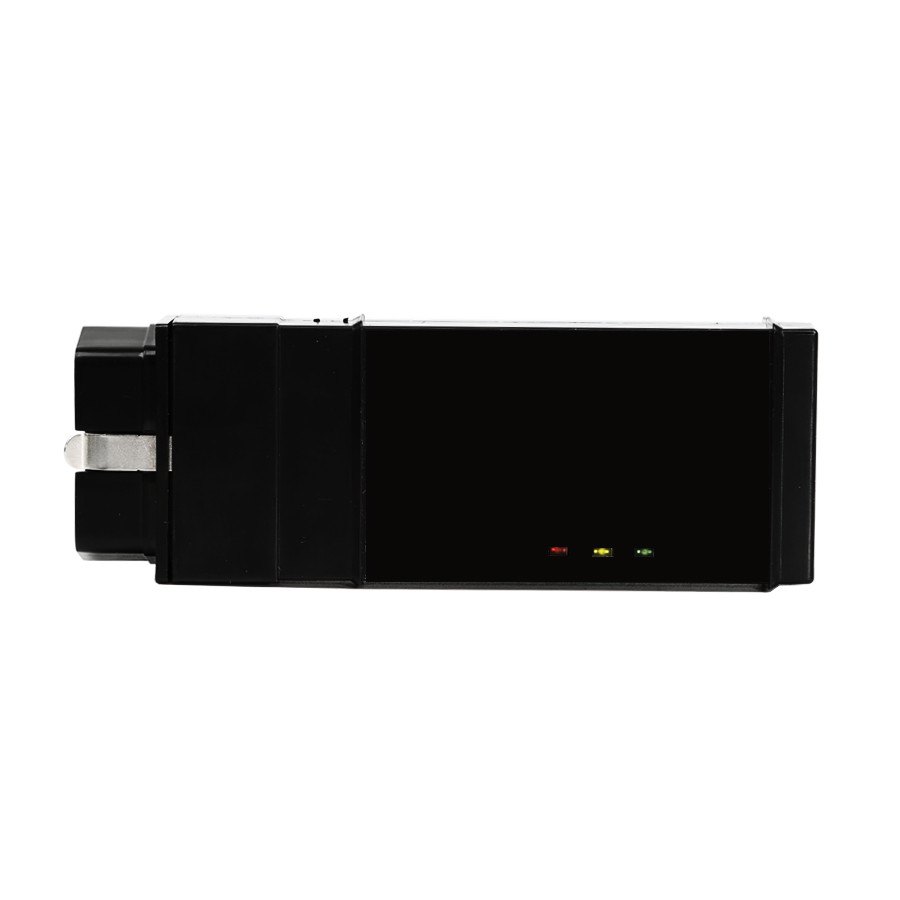
An Auto Enginuity service reset tool for BMW, carrying the battery replacement registration function. A modern BMW charges according to what it thinks the battery is, so registering the new one is part of the job rather than optional.
Specifications
- WARNING: DO NOT USE A BATTERY OTHER THAN THE EXACT AGM BMW-EQUIVA- LENT REPLACEMENT WHEN PERFORMING A BATTERY REPLACEMENT. THIS TOOL WILL NOT ALLOW CHANGES FOR BATTERY TYPE OR CAPACITY.
What you get
- 1pc x AutoEnginuity Service Reset Tool for BMW
- The AutoEnginuity Service Reset Tool will allow you to perform the BMW Ser-vice Inspection Rest (SIR) and Conditional Based Service (CBS) Oil Service reset and will also allow you to perform the battery replacement registration as required for late-model BMW battery replacement.
- AutoEnginuity Service Reset Tool for BMW
- Top 4 Reasons To Get Service Reset Tool for BMW:
- Allow perform the BMW Ser-vice Inspection Rest (SIR) and Conditional Based Service (CBS) Oil Service reset
- Allow perform the battery replacement registration as required for late-model BMW battery replacement
- The AutoEnginuity Service Reset Tool does not require a personal computer or require you to enter the make, model, or year of the vehicle; with a push of a button the hardware will intelligently determine the correct protocol and commands--it's a true one-touch reset tool.
- Service Reset Tool for BMW Operation Instructions:
- 1.Connect the AutoEnginuity Service Reset Tool to the vehicle's DLC.(See your vehicle's Owners Manual if you need help finding the DLC location.).The AutoEnginuity Service Reset Tool should illuminate the red LED on the top of the hardware (If the LED is blinking, the power level is too low to properly operate the AutoEnginuity Service Reset Tool). Either connect a battery charger to the vehicle or run the vehicle long enough to resolve this issue.
- 2.Turn your vehicle's ignition to the On position. This should illuminate the instrument cluster and the gauges. Do NOT run the vehicle as the operation will fail.
- 3.There are tow operational functions contained within the AutoEnginuity Reset Oil service Rest
- To reset the Oil Service on your '01 and later BMW, press the black button on the bottom of the AutoEnginuity Reset Service Tool.
- It will be labeled OIL. The green LED will briefly illuminate after pressing the black button, and then will go out. If the green LED is blinking, a failure code was returned by the vehicle. In some cases, an error code can be returned by the vehicle because the service interval is already too short and unnecessary. The two most common reasons for failure are engine running or the service reset is unnecessary because the engine oil is above 80%.
- Once the process completes, cycle the key from the On position to Off and back to the On position.
- On some models you can verify that the process has completed successfully.
- In the case of older BMWs, a color-coded bar on the lower-left portion of the instrument cluster will display the oil service state.
- On the newer BMW models, the CBS will reset the internal counter to 100%. If a service indicator was illuminated on the vehicle when this process started, it should not appear when the process completes and the ignition key is cycled.
- You can verify this on some models with the iDrive. If your vehicle is so equipped, simply select the menu item Vehicle Info or service Info (depending on the model).then select Vehicle status. Finally, select Engine Oil. Your model may be set for 12,000 or 15,000, so if either is now set then the process completed successfully.
- To replace a battery on your modern BMW, you will require registering the replacement with the microcontroller monitoring the Intelligent Battery Sensor (IBS). Performing this replacement registration is necessary because the IBS learns the battery state of charge, driving habits, and builds a history of the state of charge. The IBSuses that history to determine the operating speed of the variable speed alternator. This operation is used to properly balance the charge and discharge current of the battery. Without registering a replacement, several problems can arise as a result such asover charging the battery, reduced fuel mileage due to unnecessary charging.
- To perform the Battery Replacement Registration on your late model BMW:
- Press the white button on the bottom of the AutoEnginuity Service Reset Tool it will be labeled BATTERY.
- In case of error double-check that your vehicle requires this process to be performed and that you are doing this without issues on the vehicle that could cause an error. Finally, if the problem persists, check your BMW service information for more details about correct operational requirements.
The supplier warn against fitting anything other than the exact AGM BMW equivalent battery.
Specifications
| Type | Hot Car Accessories |
|---|---|
| Part number | SR24 |
| Condition | New |
Shipping and returns
Orders leave the warehouse within one business day. Delivery then takes 7 to 20 days. Orders over $150 ship free.
Not right for you? You have 30 days from delivery, with no restocking fee. See the full returns policy.