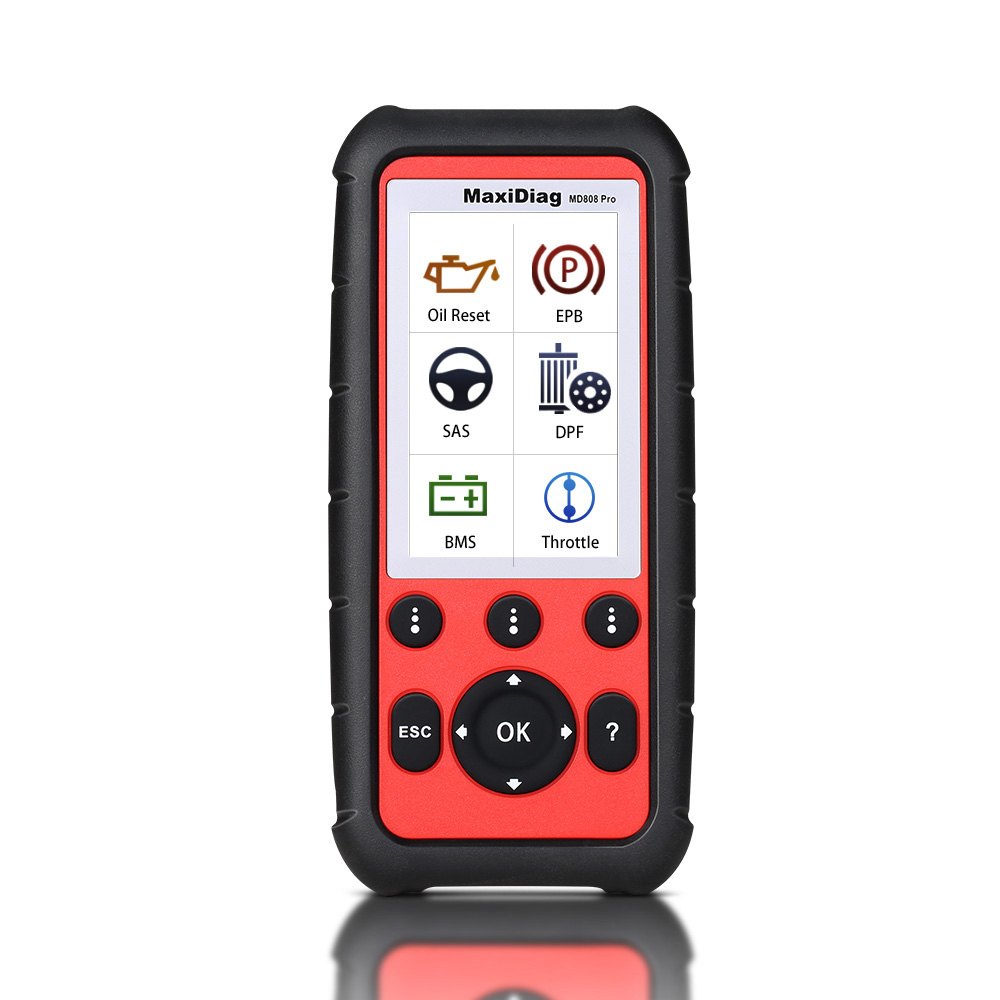
Autel MaxiDiag MD808 Pro All System Scanner (MD802 ALL+MaxicheckPro) Lifetime Free Update Online
In stock, delivery 7 to 20 days
- Free US shipping over $150
- Secure checkout via Stripe
- 30 day returns, no restocking fee
Buying for the trade? Ask for a written quote on quantity.
Description
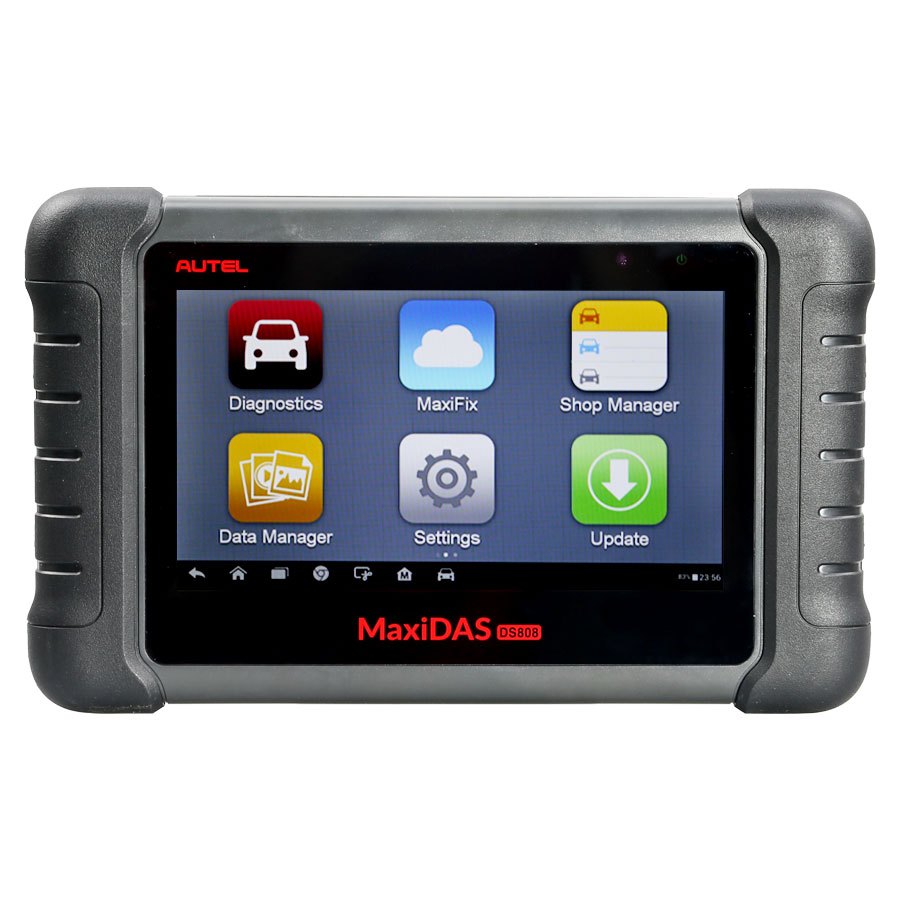
The Autel MaxiDiag MD808 Pro all system scanner, combining the MD802 ALL and the MaxiCheck Pro with lifetime free online updates. It gives global OBDII coverage across US domestic, Asian and European cars, ships with a 16GB micro SD card and a full colour 800 by 480 display, and carries service functions including oil reset and EPB.
Specifications
- Vehicle Coverage: Global OBDII coverage for U.S. domestic, Asian and European makes and models
- Brand New Design: Autel MD808, a revelation in diagnostic and service tool is launched with brand, new exterior in terms of design, structure and buttons;
- Powerful Hardware: Included with 16G Micro SD Card, full color 800*480 display to take your diagnostic experience to a whole new level;
- Efficient Diagnosis: Offer more advanced features and functions to troubleshoot basic four systems (Engine, Transmission, SRS and ABS) for major vehicles on the road today;
- Professional Service Tool: Loaded with enhanced service functions, such as oil reset, EPB, SAS, BMS and DPF, offers quick and easy solution to everyday task in the workshop;
- Mini USB: 2.0 Micro SD Card (16GB)
What you get
- 320x240 dpi
- 800x480 LCD
- Autel MD808 pro offers technicians more advanced features and functions to diagnose all systems for major vehicles on the road today.
- With all the amazing functions, Autel MD808 Pro is capable of delivering unmatched efficiency in diagnoses and services, making the ideal service tool priced for everyone to afford.
- Autel MaxiDiag MD808 Pro All System Scanner (MD802 ALL+MaxicheckPro)
- The brand-new optimized appearance designwith ergonomic buttons and crisp lines of the exterior has simple structure to be operated bya hand.
- Autel MD808 Pro Features
- 1.Read and clear trouble codes,control and test BMS/EPB/SAS/Oil Reset/DPF systems
- 3.Reset steering angle sensor(SAS) functionality
- 4.Reset oil service and battery registration
- 5.Reset service mileage and service intervals
- 6.Perform OLS/oil service resets
- 7.Set inspection 1 & 2 service intervals
- 8.Open and close EPB(electronic brake calipers) for pad removal and service
- 9.Read and clear EPB/SBC trouble codes
- 10.Diagnose EPB/SBC(Sensotronic Brake Control) caliper functionality with bi-directional control
- 11.Perform O2 monitor,on-board monitor I/M readiness and component testing.
- 1.Read/Test/Clear trouble code all modules:Powertrain system,Body system,Chassis system,INFO & Communication
- 2.Auto VIN Detection
- 3.Auto Scan all major system
- 4.Live Data to test individual systems
- 5.Communicate with door modules,body controllers,electronic modules
- 6.Graph,record and playback freeze frame data.
- 7.Freeze Frame,Enhanced Mode 6,Vehicle Info,I/M Readiness,On-Board Monitor and Component Tests
- 1.LCD Display--indicates test results. TFT color display(800*480 dpi)
- 2.Function Button--corresponds with "buttons" on screen for executing commands.
- 3.ESC Button--cancels a selection (or an action) from a menu or returns to the previous screen.
- 4.Up Scroll Button--moves up through menu and submenu items in menu mode. When more than one screen of data is retrieved, moves up through the current screen to the previous screens for additional data. When looking up DTC, it is used to change value of selected character.
- 5.Left Scroll Button--when look up DTC definitions, moves to previous character and views additional information on previous screens if DTC definition covers more than one screen; views previous screen or previous frames of recorded data. It is also used to view previous trouble code when viewing DTCs.
- 6.Right Scroll Button--when look up DTC definitions, moves to next character and view additional information on next screens if DTC
- 7.Down Scroll Button--moves down through menu and submenu items in menu mode. When more than one screen of data is retrieved,moves down through the current screen to next screens for additional data. When looking up DTC, it is used to change value of selected character.
- 8.OK Button--confirms a selection (or an action) from a menu.
- 9.Help Button--provides help information for the function conducted on the screen.
- 10.Connector--connects the scan tool to the vehicle's Data Link Connector (DLC) via OBD II cable.
- 11.Micro SD Card Slot--holds the System Micro SD card.
- On the basis of all OBD II compliant vehicles, including those equipped with universal protocol, Control Area Network (CAN), MaxiDiag MD808/808 Pro Scanners expand vehicle system coverage and offer more diagnostic power to the vehicle technicians. Featuring expanded global vehicle coverage, the scan tools offer technicians a significant improvement on model years covered by supported manufactures.
- For a complete listing of all the added vhicle,please check here
- How to use Autel MD808 Pro to Perform Oil Reset?
- Select Oil Reset icon on the Service screen and wait for the vehicle manufacturer screen. Choose the correct vehicle make.
- Select the right options for your vehicle step by step according to each
- Select the right options for your vehicle step by step according to each screen that appears until the vehicle information is identified.
- Comparison Table of Autel MD808 Pro, MD808 four system, MD802 four system, MD802 all systems:
- MD802(Four Systems)
- MD802(All System)
- MD808(Four Systems)
- MD808 Pro (All Systems)
- Software Features
- O2 Monitor Test
- Battery Registration and Reset
- Hardware Features
- 32M+16G
- 32M+16GS
- Power Consumption
- 1.7W
- Weight
- 208g(0.62lb)
- 313g(0.69lb)
- Autel MD808 Pro Specifications
- ARM® Thumb® Processor (400 MHz)
- 32MB, 166 MHz
- 4.0 inch LCD with 800x480 resolution
- 1.7 W
Lifetime free updates rather than a subscription is the main reason to choose this over a newer tablet.
Specifications
| Brand | Autel |
|---|---|
| Type | Original Autel Tool |
| Part number | CN-SP315 |
| Condition | New |
Shipping and returns
Orders leave the warehouse within one business day. Delivery then takes 7 to 20 days. Orders over $150 ship free.
Not right for you? You have 30 days from delivery, with no restocking fee. See the full returns policy.